Start with decisions, not brighter colors
In a busy survival or arcade game, the heads-up display has to compete with enemies, effects, pickups, and moving backgrounds. Raising the brightness of every HUD element may make individual labels stand out, but it can also turn the interface into a wall of equally urgent information. Better contrast starts by asking what a player needs to decide in the next few seconds.
Health and immediate danger usually deserve the clearest presentation. A cooldown that changes an imminent move may need to be easy to find at a glance, while a long-term score can be quieter. This is a matter of visual hierarchy: the most time-sensitive information should be easiest to recognize, and less urgent details should remain available without demanding constant attention. As independent editorial guidance, these principles apply broadly rather than describing the settings of any particular game.
Give essential elements a stable backdrop
Contrast depends on what sits behind an element. White text may look clear over a dark menu but disappear when a bright explosion fills the same part of the screen. A restrained dark backing, outline, or shadow can help a HUD element remain legible as the playfield changes. The backing should separate the information from the action without becoming a large opaque block that hides hazards.
Placement matters as much as color. Keep frequently checked information in consistent locations so players can learn where to glance. If a setting lets you adjust HUD scale or position, try a size that remains readable at your normal viewing distance and leaves room to see nearby threats. Enlarging every element is not always the best answer; grouping related information and adding space between groups can make a compact HUD easier to scan.
Use more than color to communicate status
Color is useful for quick recognition, but it should not carry an important message alone. A low-health state, for example, is easier to notice when a color change is paired with a clear bar shape, label, icon, or other distinct cue. Likewise, a cooldown can show both its filled portion and a number if the game provides those options. Redundant cues help when colors blend into the background or when a player cannot easily distinguish particular hues.
Avoid making every warning flash or pulse. Motion can attract attention, but too much of it competes with enemies and may be uncomfortable for some players. For settings that offer alternatives, a steady icon or persistent border may communicate a condition more calmly. The goal is not to remove urgency; it is to reserve the strongest signals for events that genuinely require an immediate response.
Test readability during the busiest moments
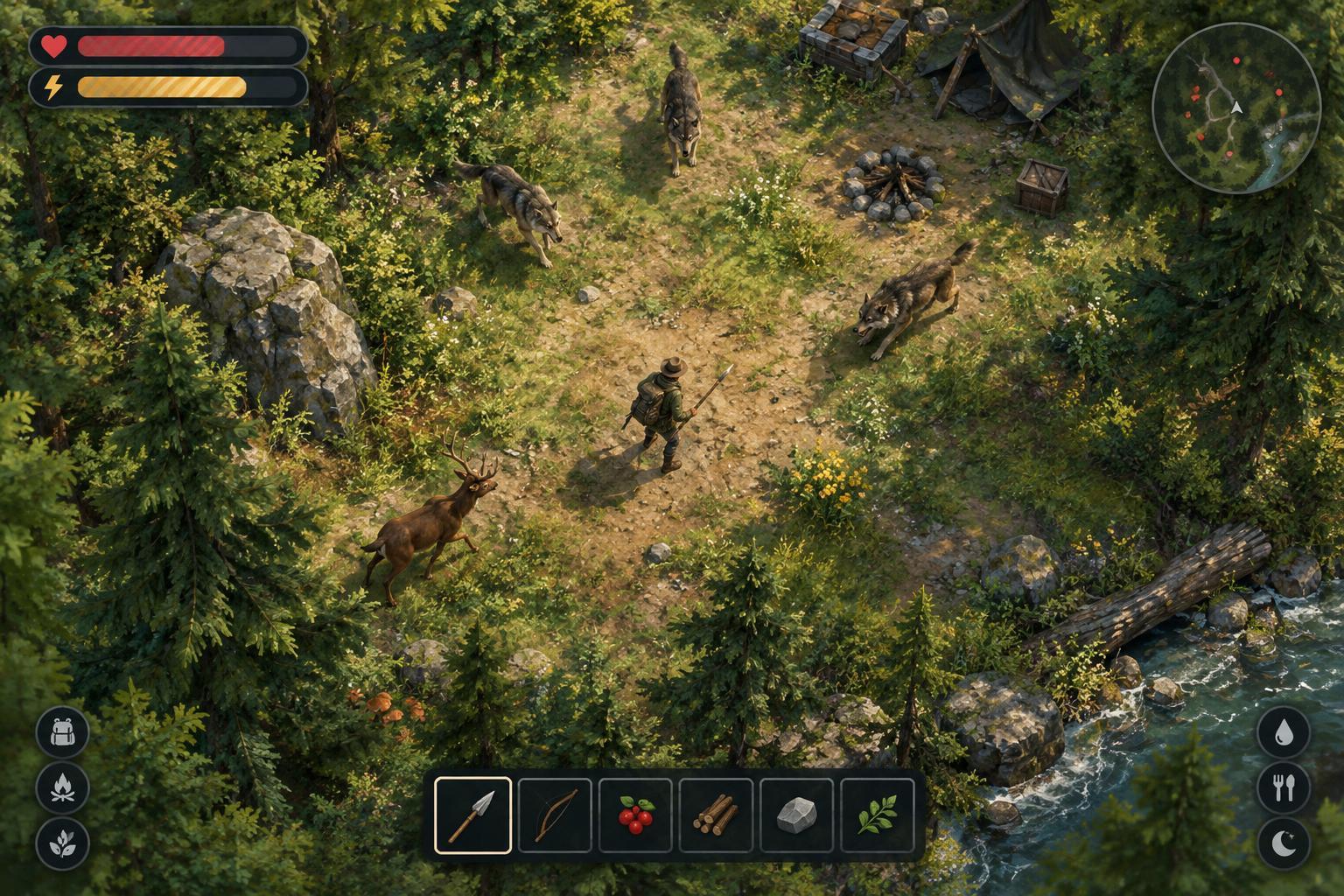
A quiet starting area is a poor test of HUD contrast in a survival game. Check the interface when effects overlap, the screen scrolls, and several pickups or enemies appear near its edges. Can you tell your remaining health without searching? Can you distinguish an available action from one that is still recharging? Do warnings remain visible over both light and dark backgrounds? These questions reveal more than a screenshot of the pause menu.
Change one setting at a time if the game allows it: scale, opacity, background strength, effect intensity, or color options. Play briefly after each change and notice whether it helps you make decisions, not merely whether it looks cleaner while paused. If an interface preset removes information you rely on, try restoring that element before changing the rest. A useful HUD is one you can read under pressure, not necessarily the one with the fewest pixels.
Keep the interface informative without making it crowded
For designers, a helpful rule is to separate information that must be visible now from information players can check between tense moments. Immediate threats, health, and active abilities may need persistent space. Detailed statistics or explanations can often live in a pause screen or expandable panel. This preserves access to information without forcing players to read everything during combat.
For players, the same distinction can guide customization. Keep the cues you act on regularly, reduce optional clutter where settings permit, and revisit your choices as you learn a game. New players may benefit from more labels; experienced players may prefer a leaner display. Neither approach is inherently better. Strong HUD contrast means essential information remains recognizable against the game world while the game world itself stays visible enough to play.