What aim assist does—and does not do
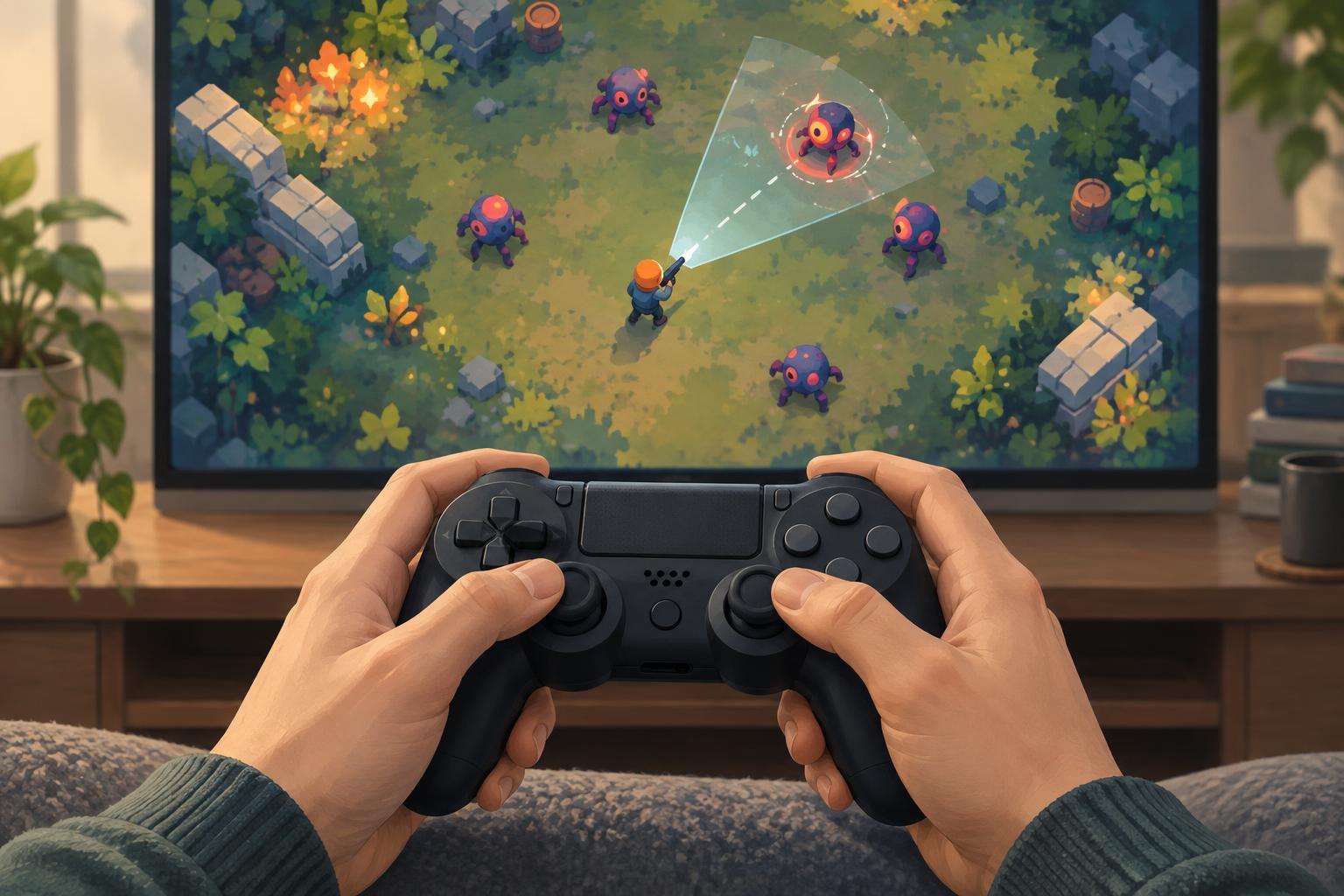
In a twin-stick game, one input usually moves your character while another sets the direction of attack. Keeping both aligned with a moving target can be demanding, especially when the screen fills with enemies, effects and hazards. Aim assist reduces some of the precision required. Depending on the game, it may slow your aim near a target, gently adjust an attack’s direction, or choose a target for an ability that fires automatically.
Aim assist is not a single on-or-off feature, and it does not necessarily make a game easy. You may still need to choose where to stand, which threat to address first and when to use a limited ability. This is independent editorial guidance, not official documentation for any particular game; setting names and behavior vary.
Common types of assistance
Aim slowdown reduces how quickly a cursor or reticle moves when it passes near a valid target. It can help prevent overshooting without moving the aim for you. Aim friction may similarly make it easier to stay near a target as you adjust direction. These effects tend to be subtle, so try them against both stationary and moving enemies before deciding whether they feel useful.
Snap targeting or target lock moves aim toward a selected enemy, either immediately or while a button is held. It can be helpful when precise stick movement is uncomfortable, but it may also select a nearby minor enemy when you wanted to hit a distant threat. If the game offers target cycling, priority rules or a way to release the lock, learn those controls before relying on it in a crowded encounter.
Auto-aim and homing attacks are more noticeable forms of help. Auto-aim may select targets while you focus on movement; homing lets an attack change course after it fires. Their value depends on the game’s design. An attack aimed at the nearest enemy, for example, may be reliable for clearing space but less useful when your immediate goal is to damage a particular boss.
Start with comfort, then adjust precision
Before increasing assistance, check the basic controls. If the reticle feels jumpy, lowering aim sensitivity may help. If turning toward a threat feels too slow, raising it may be better. A dead zone determines how far a stick must move before the game responds. Too large a dead zone can make small corrections difficult; too small a dead zone can cause unwanted movement on a worn or sensitive controller. Change one setting at a time so you can tell which adjustment made a difference.
Next, test aim assist in a low-pressure area or an early stage. Try moving around a target, changing targets and firing past an enemy toward another one. Notice whether assistance follows your intention or fights it. If a strength slider is available, a middle setting can be a useful starting point, but there is no universally correct value. The best setup is one you can understand and use consistently.
Consider the rest of the screen as well. Clear reticle colors, visible target highlights, manageable effects and readable enemy outlines can make aiming less tiring. Button remapping or a hold-versus-toggle choice for target lock may matter as much as the amount of aim correction, particularly if holding a button while moving is uncomfortable.
Match the option to the challenge
Different encounters reward different settings. In a survival arena with many weak enemies, automatic targeting may reduce input demands while leaving positioning and upgrade choices in your hands. In a game built around carefully selecting one target, strong snap targeting might interfere with deliberate shots. Some players prefer assistance for ordinary play but turn it down when practicing manual aim. Others keep it on because it makes longer sessions more comfortable.
If a game has online competitive modes, check its own rules and settings rather than assuming the same options apply everywhere. Assistance may be handled differently across modes or input methods. In solo play, the useful question is simpler: does the option help you engage with the decisions you enjoy, without obscuring what your controls will do next?
Build a setup you can trust
Treat aim assist as part of a control setup, not as a verdict on skill. A good setup makes its behavior predictable: you know when it activates, what it can target and how to override it. If you keep missing despite assistance, check sensitivity and target visibility before turning every assist option to its maximum. If attacks keep choosing the wrong enemy, try weaker assistance, manual target selection or a different targeting rule if one is offered.
The goal is to spend less effort wrestling with the controls and more attention on the game’s interesting choices. Revisit your settings when you change controllers, try a new character or move from a quiet stage to a busier one. Small adjustments, tested one at a time, are often more useful than searching for a perfect preset.